The guide · Working by the sea · 5 min read
Video calls from the beach, what works in practice
How to take a video call from the beach without wind, glare or a dead battery, with headphone manners, a backup connection, and what our work table gives.

A video call from the beach works when four things are right: you sit in deep shade, a headset keeps the wind out of your voice, the laptop has power, and your phone is ready as a second connection. Without those the call is mostly wind and a dark face. Here is how to set each one up, and what you will find at our work table.
Where should you sit?
In the shade, with something solid behind you.
- Shade first. A camera cannot handle a face in shadow against a bright sea. Sit so that the light falls on your face from the front or the side, and the background is a wall, a plant or the shade of a roof.
- Do not put the sea behind you. It is tempting, and it is the worst light. If you want colleagues to see where you are, turn the laptop for ten seconds at the start.
- Look for a still corner. Palms move, people walk, a dog comes to say hello. A calm background is kinder to those watching and to the video itself, which uses less data when little moves.
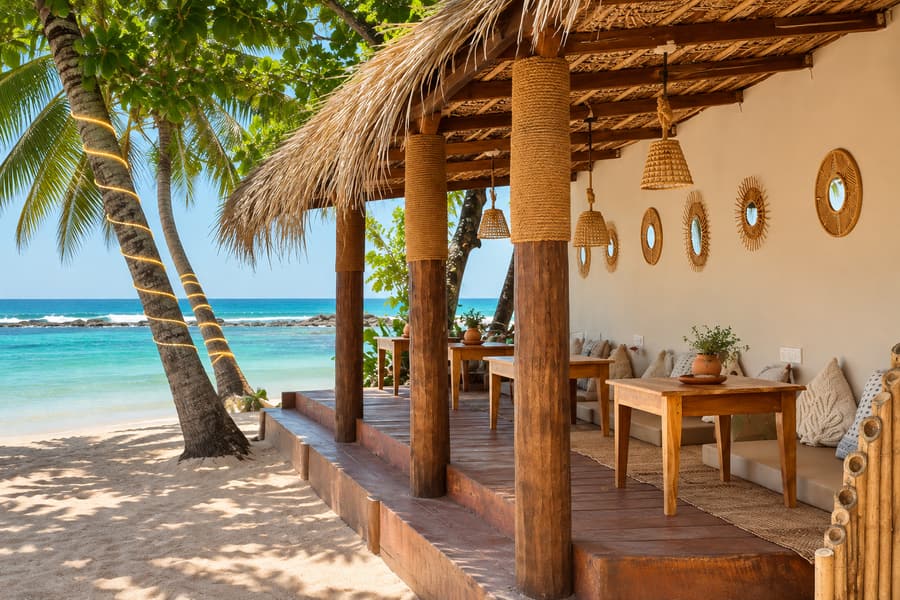
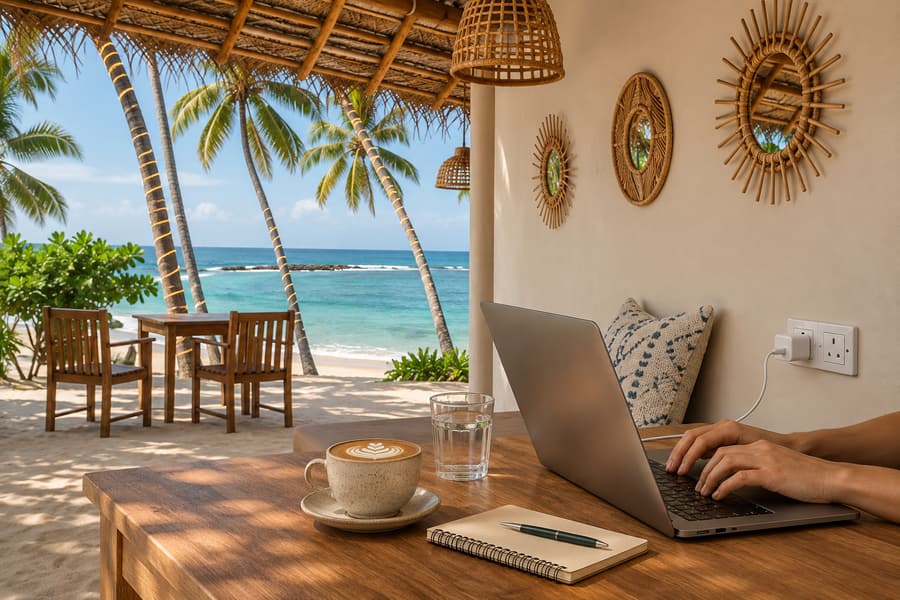
At Ohana the work table is in the shade. For a long video meeting, tell us when you arrive and we find you a quieter corner.
How do you stop the wind and the waves?
A laptop microphone hears everything: the wind, the surf, the blender, the table next to you. The fix is to bring the microphone close to your mouth.
- Use a headset or earbuds with a microphone. The closer the microphone, the less of the beach it hears.
- Put your back to the wind, so that your body shelters the microphone.
- Turn on noise suppression in the call settings. Most call apps have it now, and it removes a steady sound like surf very well.
- Mute when you listen. It is the oldest rule and outdoors it matters twice.
- Test before the real call. Record ten seconds of yourself and listen. You will hear at once what the others will hear.
What about glare, heat and the battery?
They are one problem with three faces.
Glare makes you turn the screen to full brightness. Full brightness and a video call together drain a battery fast. And a laptop that works hard in warm air gets hot. Apple advises using its laptops where the air is between 10 and 35 degrees, and a machine in direct sun passes that quickly.
- Sit where no sun touches the laptop, at any point in the call. The shade moves in an hour.
- Plug in before the call, not when the battery turns red.
- Keep the laptop on a hard table, never on a cushion or a sunbed, so that air can move under it.
- Carry a power bank for the phone. If the grid goes down, the phone is your connection.
What do you do when the connection drops?
Have the second line ready before you need it.
A group call in full HD needs about 3 to 4 Mbps in each direction by Zoom's own figures, and a call with audio only needs less than a tenth of 1 Mbps. So when the picture freezes, the first move is simple: turn your camera off. Your voice will almost always get through.
- Keep a local SIM with data in your phone, and know how to switch on the hotspot without looking. At our bay, SLT-Mobitel has the strongest signal. We explain SIM cards in internet and SIM cards in Sri Lanka.
- Join from the phone as well, muted, for a call that must not fail. If the laptop drops, you are still in the room.
- Remember the power. When the electricity goes, the Wi-Fi router often goes with it. Your phone and its hotspot do not.
- Say it at the start. "I am on a beach connection. If I freeze, I will come back by audio." People forgive what they were told to expect.
What are good headphone manners?
You are not alone at the beach, and the people around you came for the sound of the sea.
- Always headphones. Nobody near you should hear the other side of your call.
- Keep your voice at table level. People speak louder with headphones on without noticing. If the next seat can follow your meeting, it is too loud.
- Take long calls a few steps away from families and from people who are resting.
- Keep calls off the sunbeds. The work table is for work, and the sunbeds are for forgetting it.
- One hour, not four. A day of back-to-back video meetings belongs in a room with a door. Plan those days for your coliving or your room. We give a list of such places in coworking and cafes with Wi-Fi in Hiriketiya and Dikwella.
What does our work table give you?
- A seat at a long table of twenty, in the shade, kept for people who work
- Wi-Fi, and a power socket at almost every table, with an extension lead if you need one
- Coffee from 08:00 to 18:00, and the kitchen from 08:00 to 21:00
- Filtered water, on the house
- No loud music and no alcohol, so the afternoon stays quiet
- A calm bay to swim in when the call is over
We measured our Wi-Fi on 13 November 2026 with Speedtest: 72 Mbps down, 23 Mbps up, a 10 ms ping. When the grid fails, a generator keeps the power on. A call with headphones is welcome. A two-hour workshop with you presenting is not what a beach club is for, and we say so before you pack your charger.
The pass for a working day and how to reserve a seat are on our page for coworking by the sea in Dikwella. For the shape of a whole week, read a working week by the sea.
Good to know
- Ohana is at Turtle Beach, Dikwella, less than five minutes by road from Hiriketiya, open every day.
- Wi-Fi: 72 Mbps down, 23 up, measured on 13 November 2026. Bring your own headset.
- Breakfast is served from 08:00 to 11:00, lunch and dinner from 11:00 to 21:00.
- Sunbeds are free for the whole day, one for each person, when each person spends 10,000 LKR on food and drinks; otherwise they cost 1,000 LKR an hour each. A towel comes with every sunbed.
- Prices are in LKR, plus a 10% service charge.
Part of Coworking by the sea in Dikwella